heading元素元素元素函数可用set和show规则自定义样式。
set和show规则自定义样式。A section heading.
With headings, you can structure your document into sections. Each heading has a level, which starts at one and is unbounded upwards. This level indicates the logical role of the following content (section, subsection, etc.) A top-level heading indicates a top-level section of the document (not the document's title).
Typst can automatically number your headings for you. To enable numbering, specify how you want your headings to be numbered with a numbering pattern or function.
Independently from the numbering, Typst can also automatically generate an
outline of all headings for you. To exclude one or more headings
from this outline, you can set the outlined parameter to false.
Example
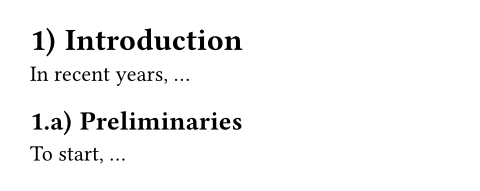
#set heading(numbering: "1.a)")

= Introduction
In recent years, ...

== Preliminaries
To start, ...
Syntax
Headings have dedicated syntax: They can be created by starting a line with one or multiple equals signs, followed by a space. The number of equals signs determines the heading's logical nesting depth.
参数参数参数是传给函数的输入,写在函数名后的括号中。
heading(,,,,,)->level可用set规则可用set规则可用set规则设置参数,更改后续调用时的默认值。
levelset规则设置参数,更改后续调用时的默认值。The logical nesting depth of the heading, starting from one.
默认值:1
How to number the heading. Accepts a numbering pattern or function.
展开例子
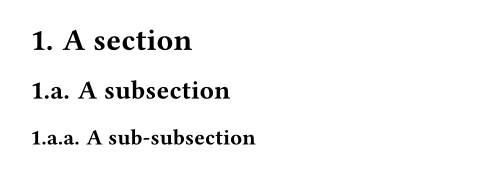
#set heading(numbering: "1.a.")

= A section
== A subsection
=== A sub-subsection
默认值:none
A supplement for the heading.
For references to headings, this is added before the referenced number.
If a function is specified, it is passed the referenced heading and should return content.
展开例子
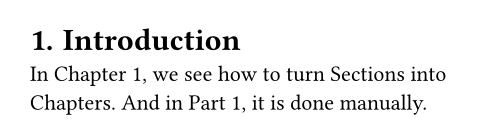
#set heading(numbering: "1.", supplement: [Chapter])

= Introduction <intro>
In @intro, we see how to turn
Sections into Chapters. And
in @intro[Part], it is done
manually.
默认值:auto
outlined可用set规则可用set规则可用set规则设置参数,更改后续调用时的默认值。
outlinedset规则设置参数,更改后续调用时的默认值。Whether the heading should appear in the outline.
Note that this property, if set to true, ensures the heading is also
shown as a bookmark in the exported PDF's outline (when exporting to
PDF). To change that behavior, use the bookmarked property.
展开例子
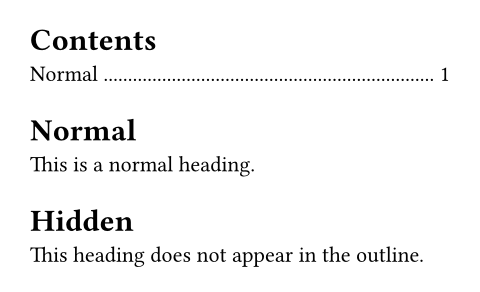
#outline()

#heading[Normal]
This is a normal heading.

#heading(outlined: false)[Hidden]
This heading does not appear
in the outline.
默认值:true
Whether the heading should appear as a bookmark in the exported PDF's outline. Doesn't affect other export formats, such as PNG.
The default value of auto indicates that the heading will only
appear in the exported PDF's outline if its outlined property is set
to true, that is, if it would also be listed in Typst's
outline. Setting this property to either true (bookmark)
or false (don't bookmark) bypasses that behavior.
展开例子
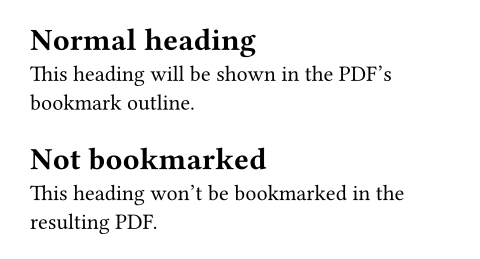
#heading[Normal heading]
This heading will be shown in
the PDF's bookmark outline.

#heading(bookmarked: false)[Not bookmarked]
This heading won't be
bookmarked in the resulting
PDF.
默认值:auto
body
bodyThe heading's title.